Wireless Data Transfer
WiFi settings are now grouped in their own submenu at OPTIONS > WIFI, which contains:
- WIFI ON/OFF – connect to a known network
- WIFI AP – start a local Access Point hosted by the device
- WIFI ON AT START – auto-connect on every power-on
- Back
Local Network
Adding networks
Networks can be added in two ways:
Via MNemoLink:
-
Connect your Mnemo to your computer and open MNemoLink.
-
In the Settings Tab you can manage the known wireless networks.
-
Click Get Current to retrieve the list of stored networks. (This list is empty when you buy the device.)
-
Enter the network name and password, then press Add New.

Via the device's web page (v3.0.0+):
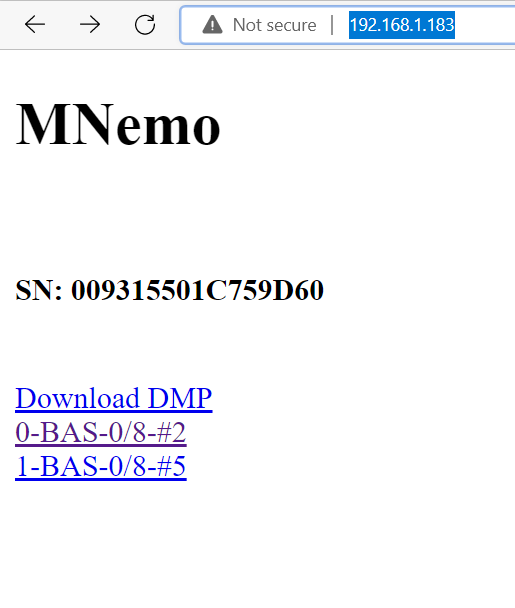
- Connect the Mnemo to WiFi (see below), then navigate to its IP address in a browser.
- Use the network management section of the web page to add or remove networks directly — no MNemoLink required.
Network names and passwords must not contain spaces and the network must operate on 2.4 GHz.
Connecting
On your Mnemo navigate to OPTIONS > WIFI > WIFI ON/OFF:

The Mnemo will try to connect to its known networks. If successful it returns to the main menu and displays the IP address of the device.

The icon in the top left corner indicates the strength of the wireless connection between the router and the MNemo.
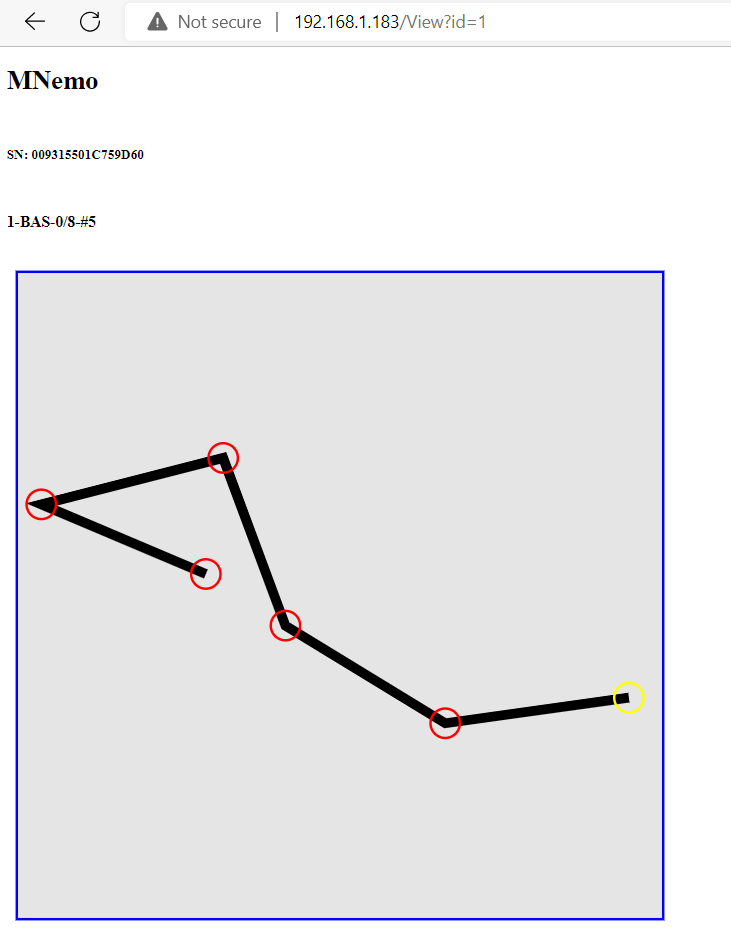
Open a browser and navigate to the displayed IP address to preview surveys or download your data.
WiFi at Start
Navigate to OPTIONS > WIFI > WIFI ON AT START and toggle the option on.
When enabled, the device automatically starts its WiFi Access Point every time it powers on. The Access Point shuts itself off after 30 seconds if no one connects to it, so it doesn't drain the battery when unused.
Combined with the QR onboarding below, this makes opening the Mnemo's web page on your phone right after switching the device on a two-scan operation.
WiFi QR onboarding (v3.1.0+)
When you turn WiFi on, the Mnemo shows a QR code on the OLED so you don't have to type the network name, password or IP address on your phone.
Local network (WIFI ON/OFF)
Once the Mnemo connects to your network it shows a QR code containing the page address (http://<device-ip>). Open your phone or computer camera app, point it at the screen, and tap the prompt to open the Mnemo's web page directly.
Access Point (WIFI AP)
In AP mode the onboarding happens in two stages:
- Join QR — encodes the AP credentials (
SSID: Mnemo,Password: password). Point your phone's camera at it and tap the prompt to join the Mnemo's network — no typing. - Open-page QR — appears automatically once your phone associates with the AP. Scan it to open the Mnemo's page in the browser. The QR dismisses itself the moment the page actually loads, returning the OLED to its normal screen.
You can dismiss either QR at any time with the device's NEXT or SELECT buttons.
The Mnemo as Wireless Access Point
If your local network is not accessible you can configure the MNemo as a Wireless Access Point.
Navigate to OPTIONS > WIFI > WIFI AP and select the entry.
You can then connect your computer (or phone) to the wireless network created (SSID: Mnemo, Password: password) and navigate to the displayed IP address as you would on a local network.
Network Scan and Data Download with MNemoLink
You can use MNemoLink to scan your network and find your MNemo.

Once found, you can download the data through WiFi.
